BatteryRadar · included in Max

It's not the battery level that counts – it's how long it lasts.

BatteryRadar learns how you use each of your devices and forecasts how long its battery will last. So you know in time which device needs charging – before it runs flat at the worst moment.

Get it on Google Play
BatteryRadar forecast chart

Why percentages mislead

60 % isn't always more than 30 %

The battery level alone doesn't tell you how long a device will last – what matters is how it's used. A phone used for navigation and videos all day drains far faster than a tablet lying on the shelf.

Phone

60 %

In heavy use · about 12 % per hour

Empty in about 5 h

Tablet

30 %

Hardly used · about 1 % per hour

Lasts about 1 day

How it works

Three steps to the right moment for charging

Learns your usage

Each device measures how fast its battery drains – and learns its daily rhythm, hour by hour, separately for Mon–Fri, Saturday and Sunday.

Forecasts the remaining runtime

From this, BatteryRadar calculates how long the battery will last until your forecast threshold – for every device.

Warns you in time

In your charging window, it alerts you if a device won't last until the next one. Several devices are bundled into one notification.

Features in detail

Everything BatteryRadar does for you

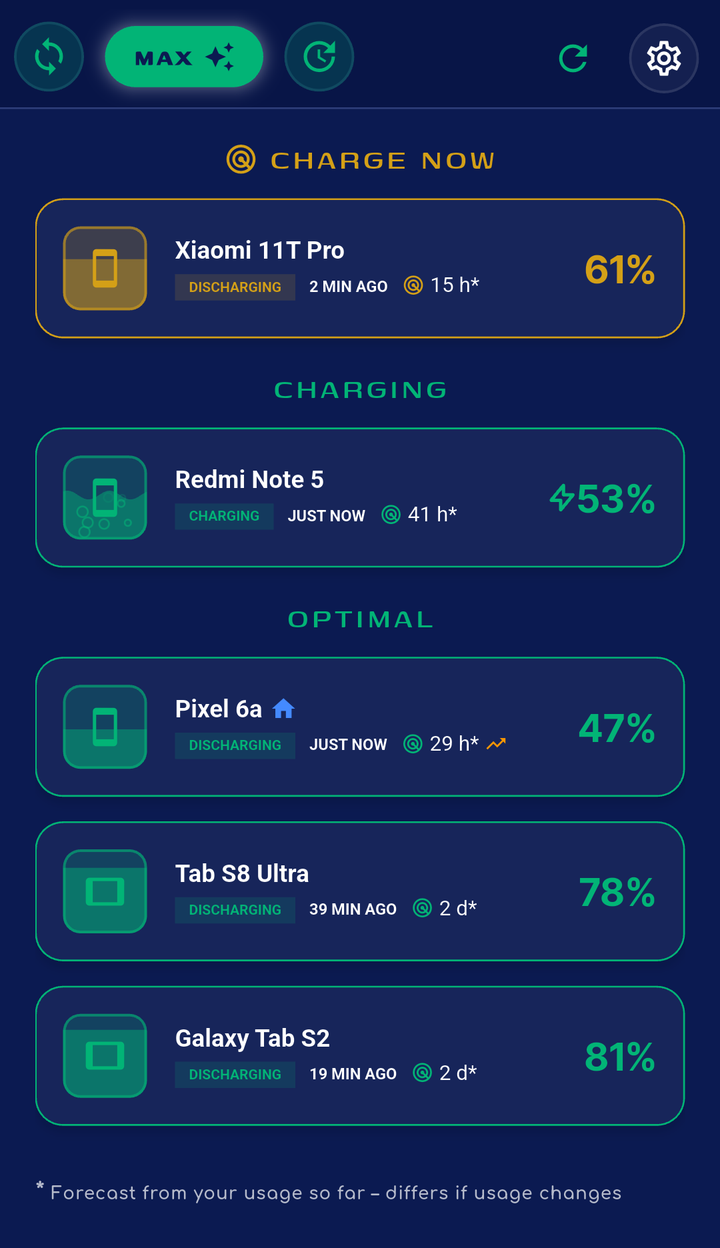
Remaining runtime in the device list

Every device shows how long it will last, for example 18 h* or 2 d*. The radar icon turns gold when a device should be charged before your next charging window.

Device list with remaining runtimes

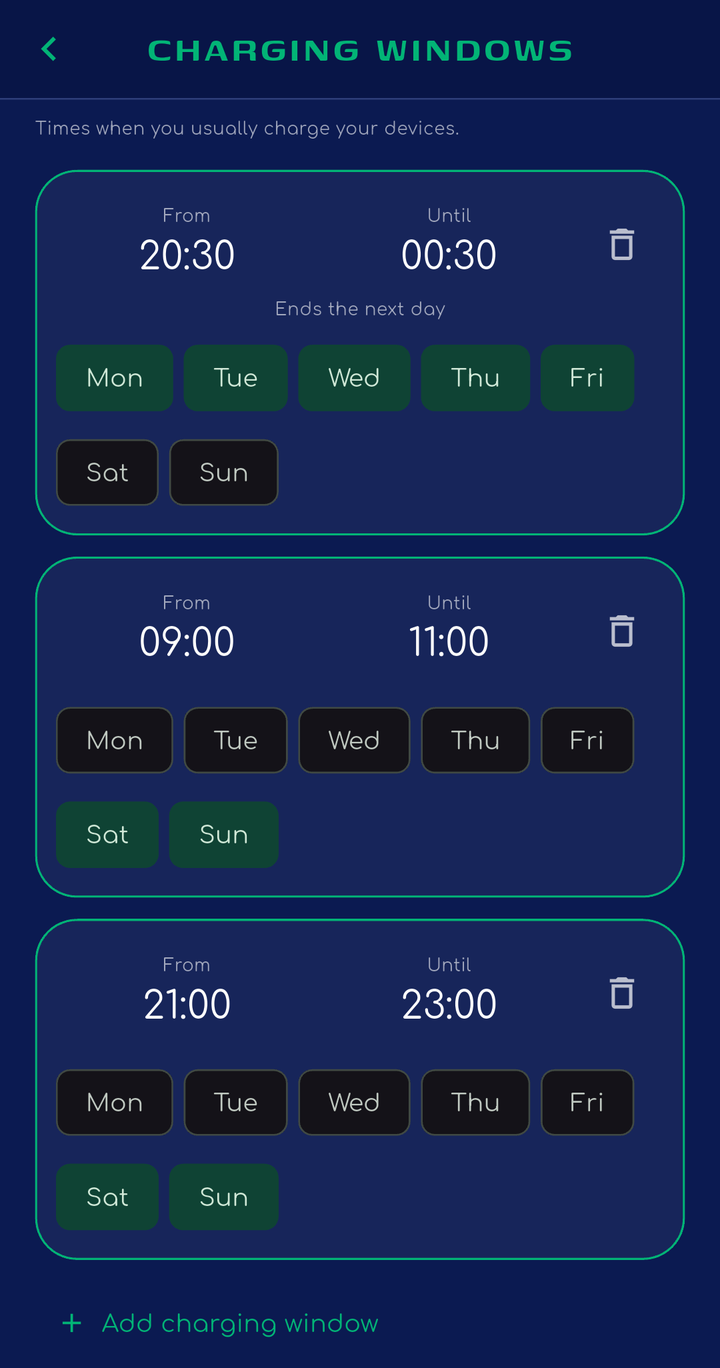
Charging windows for each weekday

Tell BatteryRadar when you usually charge your devices – for example in the evening on weekdays and in the morning at the weekend.

  • Several windows per day possible
  • Windows across midnight, e.g. overnight
BatteryRadar settings with charging windows

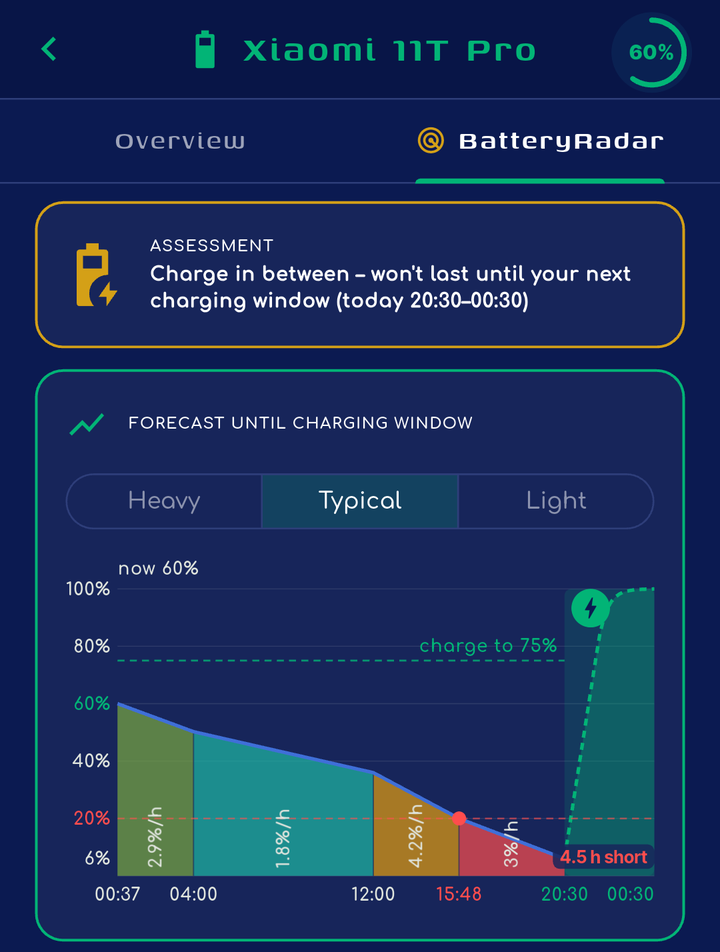
Forecast chart

Shows how the battery level will develop until your charging window – in sections with their consumption rate.

  • How much time is missing – or how much buffer you have
  • Up to which level to charge if it won't last
  • While charging: what happens if you unplug now
Forecast chart

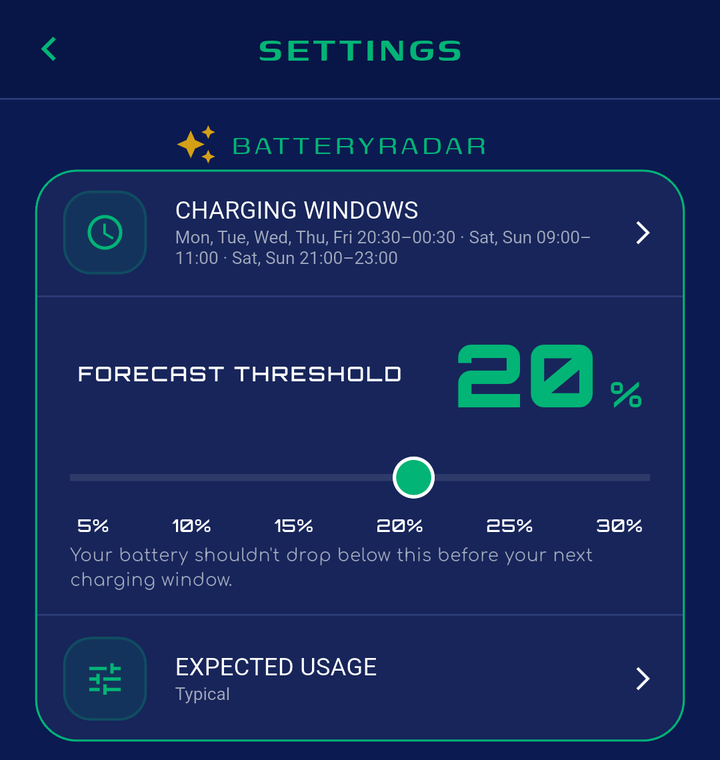
Expected usage and forecast threshold

Choose how you expect to use your devices – Heavy, Typical or Light – and the level a battery shouldn't drop below before your next charging window.

Forecast threshold and expected usage

Detects unusual drain

If a battery suddenly drains much faster than usual – for example because an app keeps running – BatteryRadar notices it and shows it.

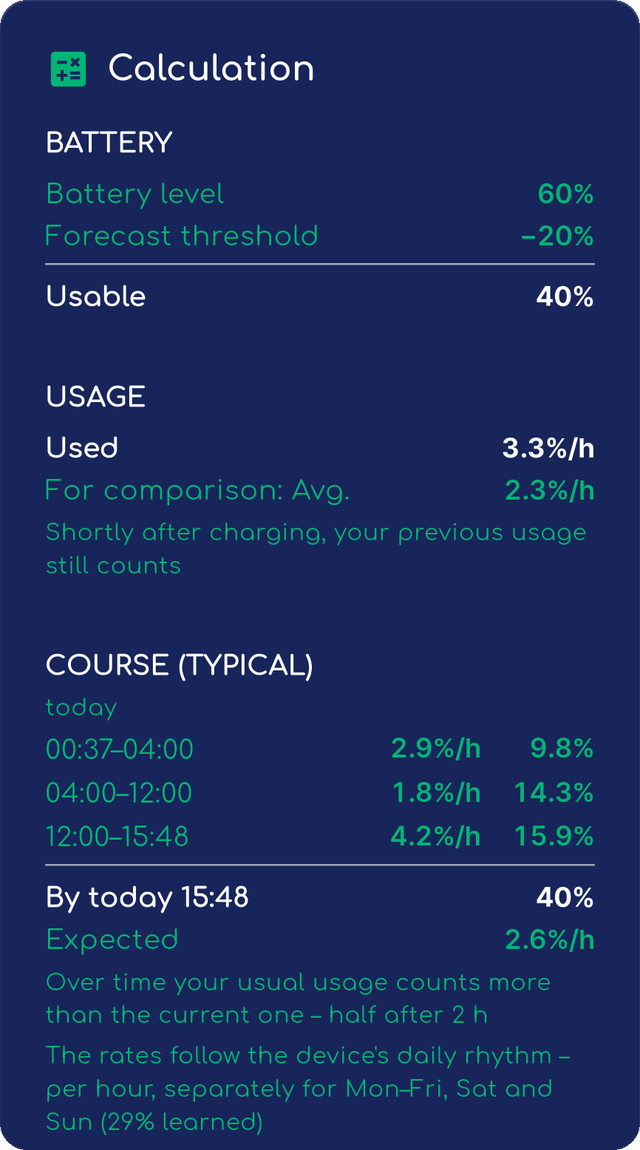
Transparent calculation

Tap the forecast to see exactly how it was calculated – step by step, with the rates used.

Calculation of the forecast

Calculated on your devices

Each device calculates its own forecast from its own battery history. Only the result is shared with your other devices – the history itself stays on the device.

Frequently asked questions

How accurate is the forecast?

The forecast is based on how you have used the device so far. If you use it differently – for example for gaming or navigation – the actual runtime will differ. The more the app has learned, the better the forecast.

Why does a device show “No forecast from this device yet”?

Each device calculates its own forecast. If it runs an older app version, it doesn't share a forecast yet – update the app on that device from the Google Play Store.

Do all my devices need Max?

No. Max is a subscription for your account – all your devices benefit from it.

More questions? Visit our help page.

Get BatteryRadar with Max

Max includes BatteryRadar, everything in Pro and up to 100 devices.

Get it on Google Play